Knowledge base

Mac software guides you can finish at a desk.

Screnetik publishes original tutorials for people who need a program to behave, not a marketing page to admire. We explain setup, permissions, and everyday workflows in ordinary American English.

Independent educationNo app storeEmail [email protected]

Learning tracks

Pick a path from the work you have today. Each route is a short set of pages, not a funnel.

Track 01

Start with the operating system

Screenshot tools, privacy switches, desktop cleanup, and file sharing.

  1. Grant Screen Recording and Microphone in System Settings
  2. Clear the desktop before any take
  3. Use the built-in toolbar when a raw clip is enough
Open macOS guides

Track 02

Study a polished recorder

An independent walkthrough of Screen Studio, from first install to export.

Open the overview

Track 03

Compare tools by the job

Built-in capture, QuickTime, OBS, and other Mac recorders — no invented scores.

Open the comparison

Practical recording habits

Most failed videos fail before the first click. The source is wrong, the desktop is noisy, or the audio source was never checked. Our guides treat those habits as the lesson, then move to any one app.

When a page discusses Screen Studio, it says so in the heading and points to the official developer site for downloads and current limits. Other pages stay with macOS itself so the library is useful even if you never install that app.

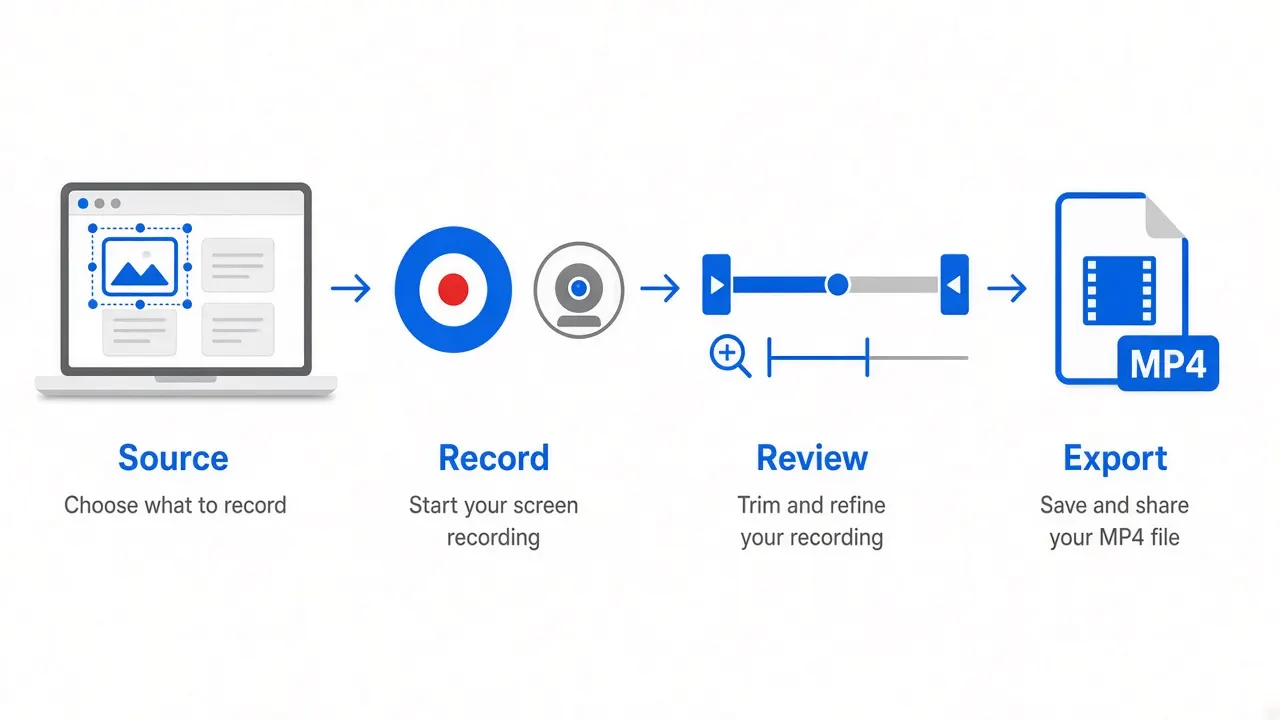
Four stages of a recording session: choose a source, record, review the timeline, then export an MP4 file.
A recording session moves from capture to review before anyone else sees the file.

What we will and will not do

We write

  • Step sequences you can follow at a desk
  • Permission and audio checks that prevent a wasted take
  • Comparisons that name trade-offs instead of winners

We refuse

  • Download buttons that pretend to be the product
  • Invented reviews, ratings, or support promises
  • Copy that repeats a product name in every sentence